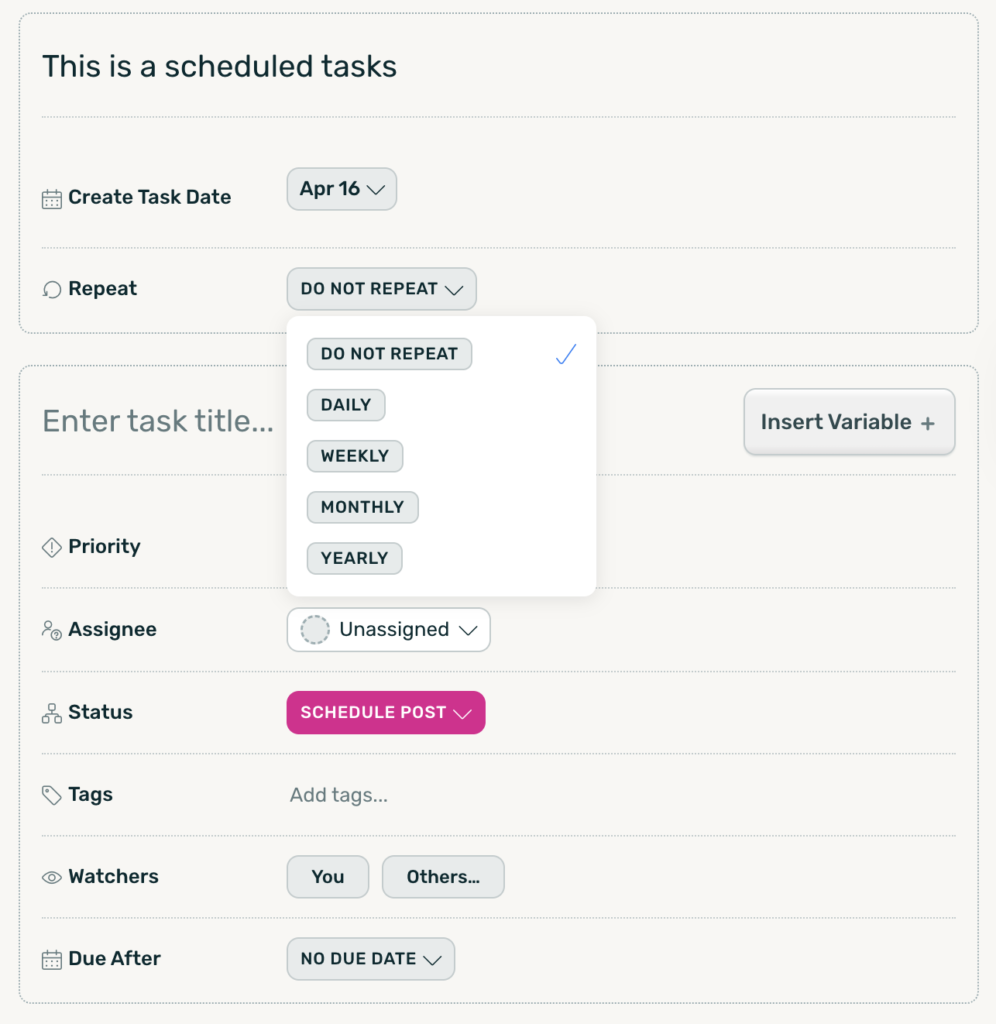
Automate recurring work without rebuilding the same tasks over and over.
Scheduled Tasks let your team automatically create future and recurring tasks inside DoneDone, so important work never gets forgotten. Whether it’s weekly reviews, monthly maintenance, or annual processes, Scheduled Tasks help your team stay ahead of recurring responsibilities.
What Are Scheduled Tasks? #
Scheduled Tasks allow you to automatically generate Tasks at future dates or on recurring schedules.
Instead of manually creating the same task every week or month, DoneDone can automatically create it for you with all the details already filled in.
You can:
- Schedule one-time future tasks
- Create recurring task schedules
- Automate operational workflows
- Set dynamic due dates
- Reuse templates for repeatable work
- Keep teams aligned on recurring responsibilities
Scheduled Tasks help reduce manual work while improving consistency and accountability.
Create One-Time Future Tasks #
Need a task to appear later?
You can schedule a single task to automatically generate on a future date.
Perfect for:
- Upcoming client renewals
- Future follow-ups
- Planned maintenance
- Contract reviews
- Quarterly audits
- Launch preparation
Simply configure the task once and DoneDone will create it automatically at the scheduled time.
Automate Recurring Work #
Recurring processes are common across almost every team.
With Scheduled Tasks, you can automatically generate recurring tasks on:
- Daily schedules
- Weekly schedules
- Monthly schedules
- Yearly schedules
You can also create flexible intervals such as:
- Every 2 weeks
- Every 3 months
- Every 6 months
- Every year
This makes it easy to automate everything from operational checklists to recurring customer workflows.
Pre-Fill Task Details Automatically #
Each Scheduled Task can include pre-configured information so your team doesn’t need to recreate the same setup every time.
Automatically include:
- Task titles
- Descriptions
- Assignments
- Workflow statuses
- Due dates
- Checklists
- Watchers
This ensures every recurring task starts with the right structure from day one.
Use Dynamic Due Dates #
Scheduled Tasks support dynamic due dates based on when the task is created.
For example:
- Due 2 days after creation
- Due in 1 week
- Due at the end of the month
- Due every Friday
This keeps recurring work aligned with real operational timelines instead of static calendar dates.