
Internal Comments allow your team to collaborate behind the scenes without exposing conversations to customers, clients, or external users. Discuss next steps, ask questions, clarify details, and coordinate work directly inside DoneDone while keeping customer-facing communication clean and organized. Internal Comments work across both Tasks and Conversations, helping your team centralize communication around the actual work being done.
What You Can Do with Dynamic Checklists #
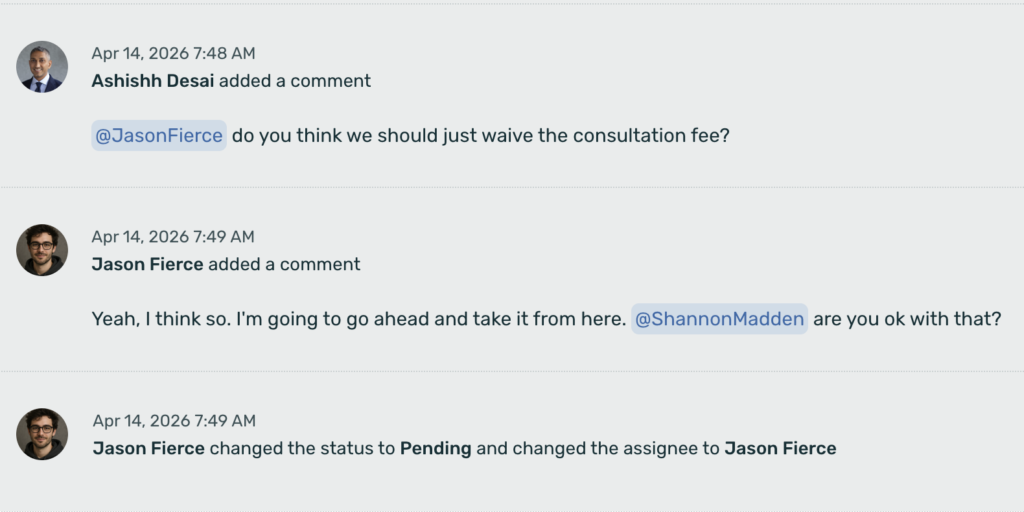
Internal Comments are private team-only messages attached to a Task or Conversation.
Unlike public replies or customer-facing responses, Internal Comments are only visible to users inside your DoneDone account.
Use them to:
- Discuss how to handle a request
- Clarify internal processes
- Ask teammates for input
- Share context before replying
- Coordinate work across departments
- Leave notes for future reference
This helps teams collaborate without cluttering customer communication or switching between tools like Slack, email, or separate chat apps.
What You Can Do with Dynamic Checklists #
Instead of switching between inboxes, chat apps, and task tools, your team can communicate directly inside the Task or Conversation.
For example:
A customer submits a request
A team member creates a Task
Operations leaves an Internal Comment asking for clarification
Engineering responds internally
Support updates the customer
Everything stays connected in one workflow. This creates better visibility and reduces information getting lost between tools.


