
Only an account user with the role of “Owner” can make changes to the account’s total User Seat count.
Users seats are not filled by Guests on your account. In other words, guest users are completely free to have on your account. Note, that if you upgrade a Guest to a User, they will fill a User Seat, and become a paid user billed to your account.
To learn more about Guest Users, visit our help doc: “Guests: Everything you need to know”
User Definition #
Definition: Anyone who is assigned to your account as a User, having the role of “Normal User”, “Admin”, or “Account Owner”. Does not include Guests, although they may be sometimes referred to as “Guest Users”.
Starter & Pro Plans #
First, consider visiting the “Pricing Page” on our website for in-depth information about our plans and pricing. Below, we will highlight the pricing and the User Seat count of each Plan.
The “Starter” Plan is priced at $45/mo on the annual billing period or $49/mo on the monthly billing period. The Starter Plan includes 4 User Seats.
The “Pro” Plan is priced at $89/mo on the annual billing period or $99/mo on the monthly billing period. The Pro Plan includes 8 User Seats.
User Seats #
Each User on your account will take 1 User Seat. Be sure you have available User Seats if you would like to add a new User to your Account!
Starter Plan #
If you are on the Starter Plan, you cannot add more than 4 Users at a time. To add more Users, you will need to Upgrade to the Pro Plan, which includes a total of 8 User Seats.
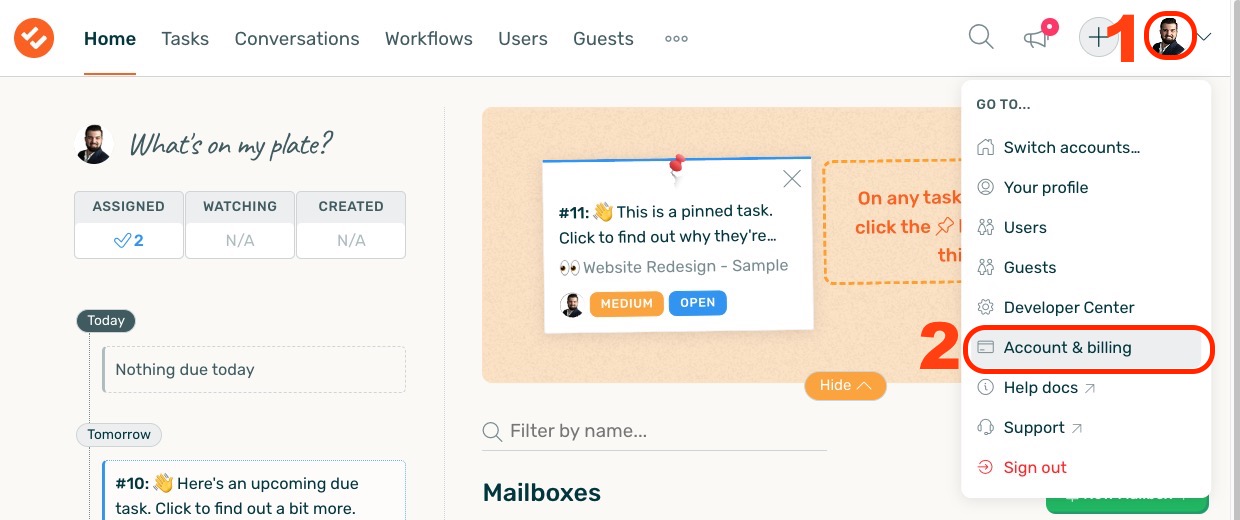
To upgrade to the Pro Plan, navigate to the “Account & billing” section after clicking on your profile icon.
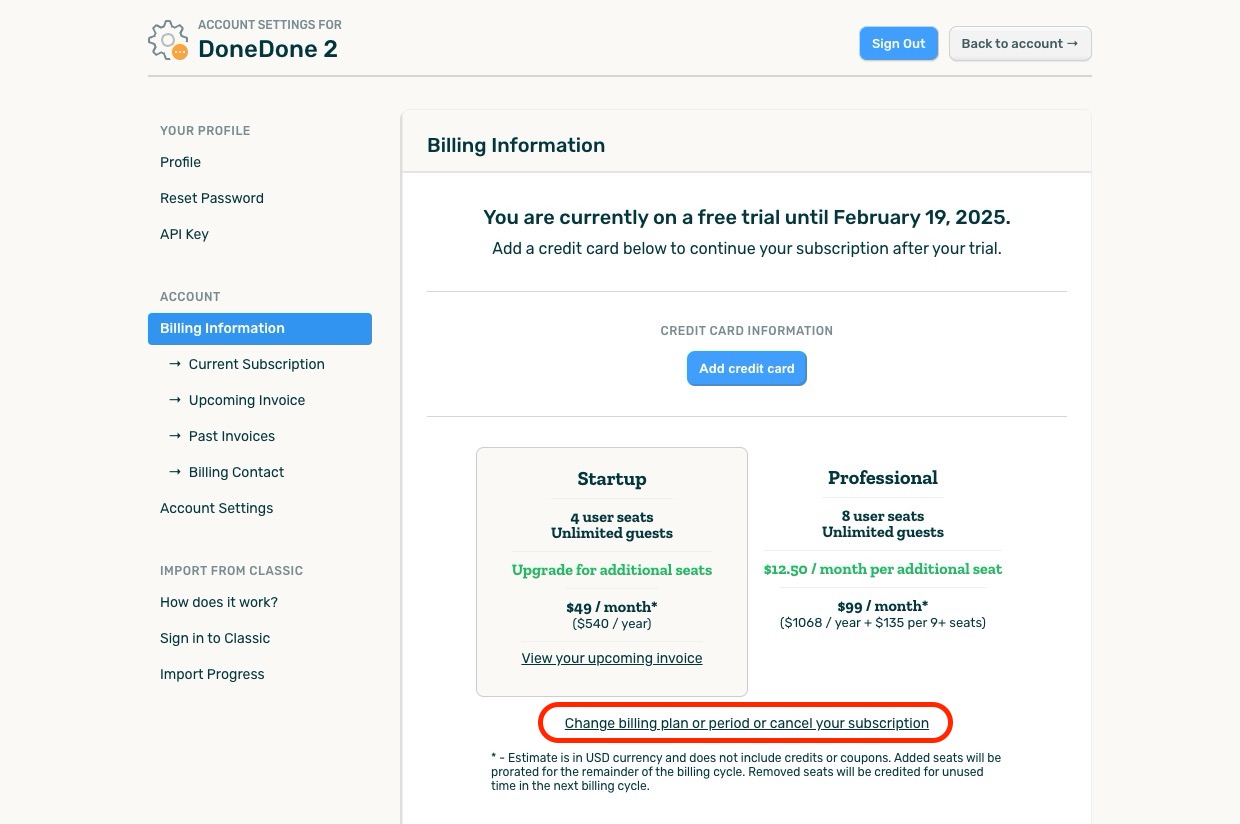
Next, select “change billing plan or period or cancel your subscription”.
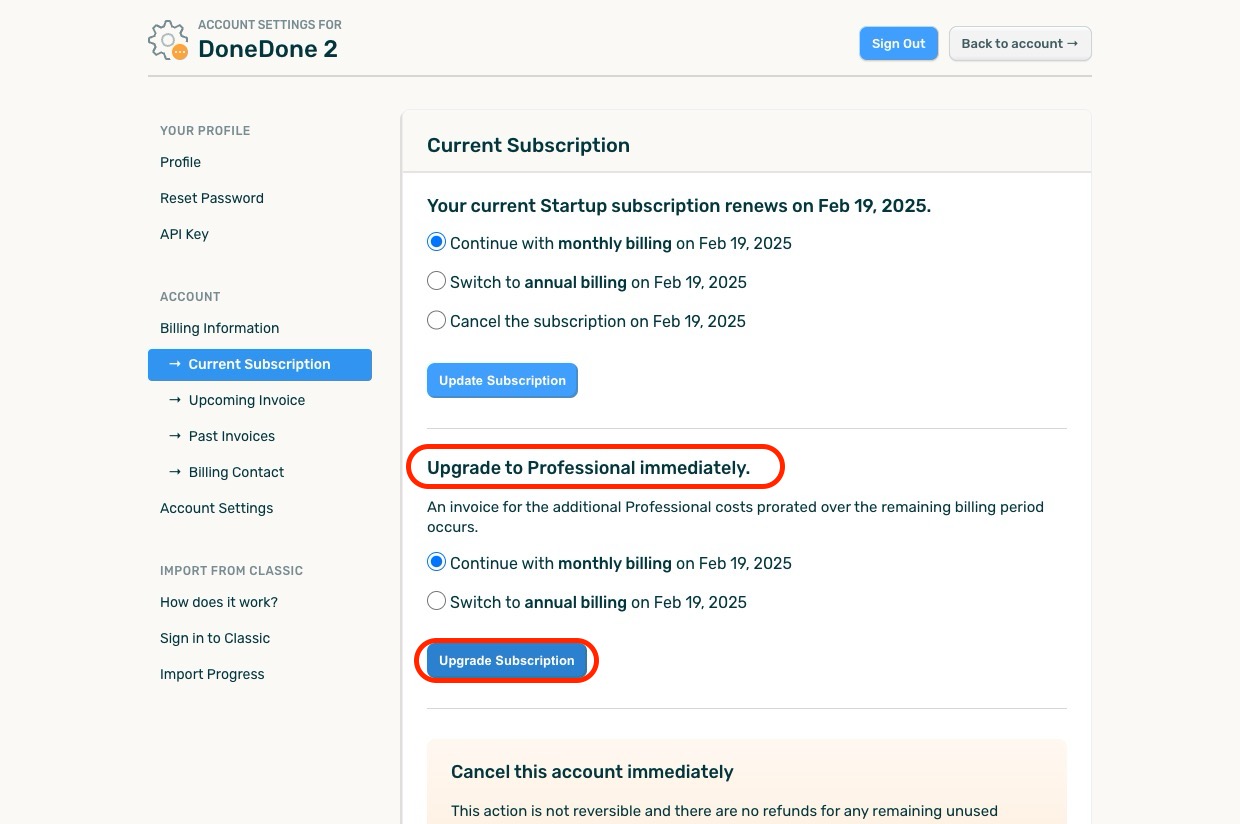
From the following interface, under the section titled “Upgrade to Professional immediately”, click “Upgrade Subscription”. This will upgrade your account and update your max seat count to 8.
Pro Plan #
If you are on the Pro Plan, you can add up to 8 Users at a time. To add more Users, you will need to pay for each new User Seat once you’ve reached 8 Users on your account.
To add additional User Seats to the Pro Plan, navigate to the “Account & billing” section after clicking on your profile icon. From there, update your seat count to the desired number for your account. You will begin being billed for the new User Seats you added.
Monthly & Annual Billing Terms #
- You have the option of choosing to be billed either monthly or annually. Select annual billing for the lowest pricing.
- You always have the option to change your billing term, but it doesn’t take effect until your current term is over.


