
DoneDone’s Dynamic Checklists help your team standardize repeatable work. Create quick one-off checklists, save reusable templates, and automatically attach checklists as work moves through your workflow.
Whether you’re onboarding a client, reviewing a support request, handling QA, or managing recurring operational tasks, Dynamic Checklists make sure important steps never get missed.
You can use checklists on both Tasks and Conversations across your DoneDone account.
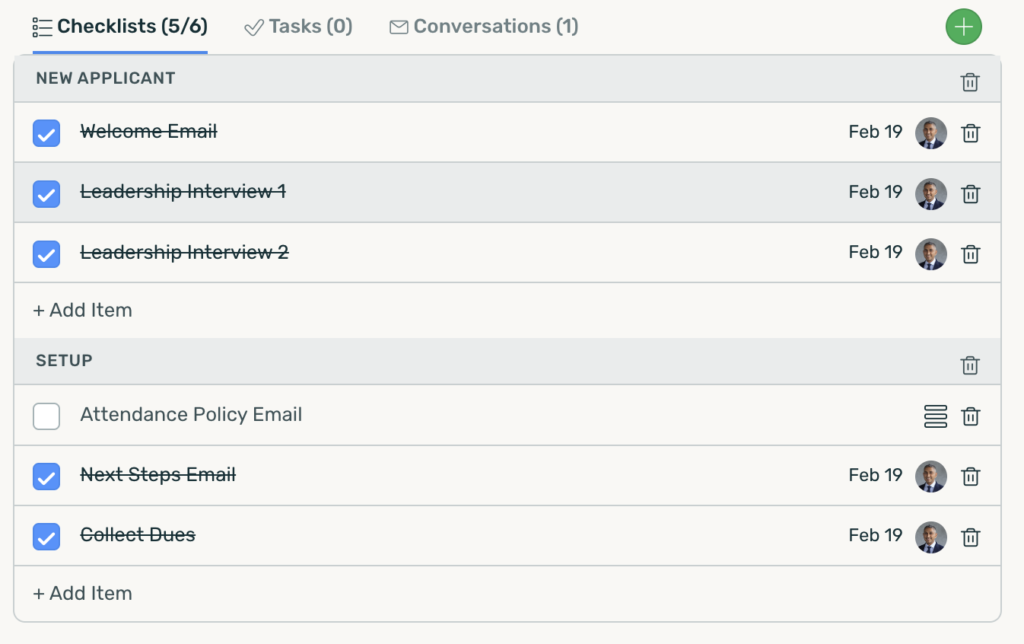
What You Can Do with Dynamic Checklists #
Create Ad-Hoc Checklists
Need a quick checklist for a specific task or conversation?
You can create an ad-hoc checklist directly inside any Task or Conversation to track progress step-by-step.
Perfect for:
- Customer onboarding
- Internal reviews
- QA checks
- Approval processes
- Follow-up steps
- One-time procedures
Each checklist item can be checked off individually as work is completed, helping your team stay aligned and accountable.
Create Reusable Checklist Templates #
If your team repeats the same process regularly, you can save a checklist as a reusable template.
Instead of rebuilding the same list every time, simply apply the template whenever needed.
Examples include:
- New employee onboarding
- Client setup
- Website launch reviews
- Support escalation procedures
- Content publishing workflows
- Equipment inspections
Templates help teams create consistency across projects, conversations, and recurring operational work.
Automatically Add Checklists with Workflow Statuses #
Dynamic Checklists can also be triggered automatically based on Workflow Status changes.
When a Task or Conversation moves into a specific status, DoneDone can automatically attach a checklist template.


