
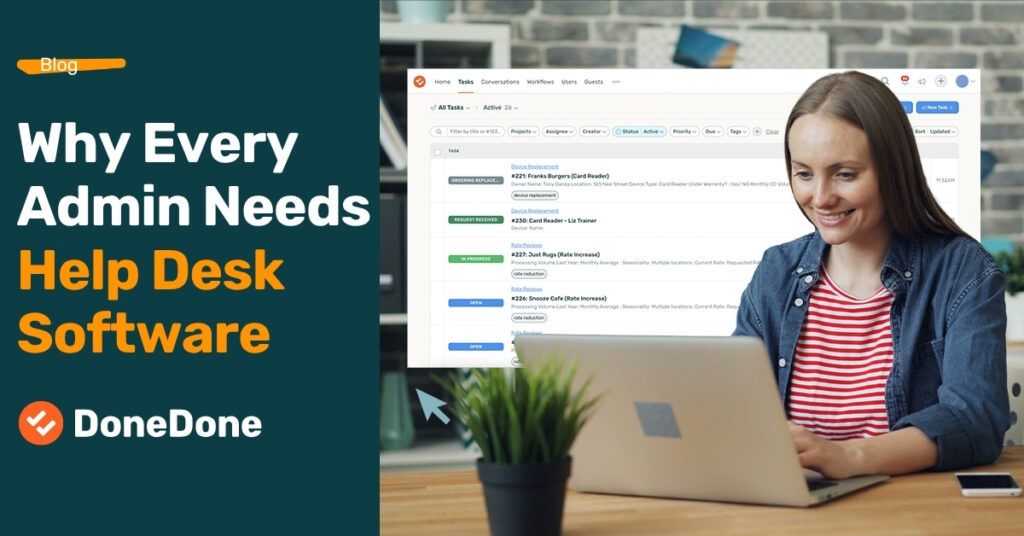
Why Every Admin Needs Help Desk Software
If you’re an admin or office manager, you’re often the person everyone turns to each day when something needs to get done, and those requests can cover just about anything.”
Some come from customers. Some come from employees. Some come from vendors or managers. And plenty of them start with someone walking into your office and saying, “Hey, when you get a second, can you…”
Then there are emails, Slack messages, Teams messages, phone calls, and the requests you’re somehow expected to remember because someone mentioned them in passing.
The problem usually isn’t receiving the requests. The problem is keeping track of them, figuring out who should handle them, and making sure they actually get done.
That’s where help desk software can make an admin’s life significantly easier.
Your Shared Inbox Eventually Becomes a Task List
Email works perfectly well when one person is responsible for everything.
The problems start when multiple people are involved.
Imagine your company has a central address like office@company.com or requests@company.com. An employee emails asking for a new laptop. A vendor sends over a document that needs approval. Someone else needs an invoice corrected. Meanwhile, a customer has a question that needs to be passed to another department.
Suddenly your inbox isn’t really an inbox anymore.
It’s a task list.
But email wasn’t designed to be a task management system. You can forward messages and CC people, but pretty quickly questions begin to pile up:
- Who is handling this?
- Did anyone respond?
- Are we waiting on someone?
- When does this need to be finished?
- Did this ever get done?
A help desk solves this by turning incoming requests into tickets. Instead of another email sitting in an inbox, the request now has an owner, status, due date, history, and all of the original communication attached to it.
The Biggest Problem Isn't Receiving Requests. It's Assigning Them.
This is where help desk software becomes especially valuable for admins.
Many of the requests that land on an administrator’s desk aren’t actually tasks they’ll complete themselves. Their role is often to make sure the request reaches the right person, stays visible, and ultimately gets completed.
Imagine an email comes into office@company.com saying the air conditioning isn’t working in one part of the building.
The admin probably isn’t going to repair the HVAC system.
Instead, they’ll assign the request to facilities, contact a vendor, or hand it off to another employee.
With a traditional inbox, that usually means forwarding an email and hoping someone follows through.
With help desk software, the email becomes a ticket. The admin assigns it to the right person while still maintaining complete visibility into its progress.
The original email stays attached to the ticket. Team members can add internal notes, ask questions, upload files, and loop in other departments. If ownership changes, the ticket simply moves with it, giving the next person complete context without digging through forwarded emails.
The handoff is the game changer. That’s where the real value comes from. Instead of work disappearing into someone’s inbox, every conversation, attachment, and decision stays connected to the ticket. The next owner can immediately pick up where the previous person left off, making transitions smooth and dramatically reducing the chance that something gets overlooked.
Internal Requests Deserve Ticketing Too
When people hear “help desk,” they usually think about customer support.
In reality, many administrative teams receive just as many requests from inside the organization as they do from customers.
Common examples include:
- IT requests
- Facilities and maintenance issues
- HR questions
- Purchase requests
- Accounting and billing questions
- Employee onboarding and offboarding
- Document requests
- Approvals
- Equipment requests
- Vendor questions
- Office supplies
- Travel or scheduling requests
Many of these requests begin with someone stopping by an office, sending a Slack or Microsoft Teams message, or emailing an individual administrator directly.
A good practice is to create one central email address for requests whenever possible.
Something as simple as requests@company.com, office@company.com, or help@company.com works well.
Every request flows into the same place, where help desk software automatically converts emails into tickets. From there, administrators can assign ownership, monitor progress, and make sure nothing falls through the cracks.
The goal isn’t to eliminate Slack, Teams, or face-to-face conversations. Instead, those conversations become the starting point. A quick “Can you send that to requests@company.com?” creates a permanent record, makes the work assignable, and ensures everyone can see its status.
How to Pick the Best Help Desk Software
Before comparing products, spend a few minutes identifying what your team actually needs.
The biggest difference between help desk platforms usually comes down to whether you’re managing a full-scale customer support operation or simply organizing requests and tasks.
Start with a practical checklist:
- Shared mailbox
- Ticket assignment
- Custom workflows and statuses
- Due dates
- Internal notes
- Email replies
- Automations
- Search and ticket history
- Reporting
- Guest or requester access
- Project and task management
- Phone support (if needed)
- Integrations
- Ease of implementation
- Price
Then separate those into must-have features and nice-to-have features.
A company operating a busy customer service department will likely prioritize advanced routing, call management, and reporting. A smaller administrative team may care much more about simplicity, collaboration, and getting up and running quickly.
Choosing software based on actual day-to-day needs almost always leads to a better long-term solution than simply choosing the platform with the longest feature list.
You Don't Always Need Enterprise Help Desk Software
Not every organization needs an enterprise-level help desk platform.
Larger companies with dedicated customer support teams, call centers, strict service level agreements (SLAs), sophisticated reporting requirements, and complex routing should absolutely consider platforms such as Zendesk or Freshworks. Their advanced phone integrations, omnichannel communication, automation capabilities, and extensive integrations are built for organizations managing thousands of customer interactions.
The tradeoff is that those platforms often require more configuration, more training, and a larger budget. For the right organization, that’s money well spent.
But a 5-20 person company with an administrative team has very different needs.
If most requests arrive through email and the primary goal is assigning work, collaborating with coworkers, and making sure nothing gets missed, a lightweight solution is often the better fit.
That’s where DoneDone stands out.
DoneDone focuses on the features smaller teams use every day without overwhelming users with enterprise functionality they’ll likely never touch. Incoming emails become tickets that can be assigned, discussed internally, tracked through custom workflows, given due dates, and managed alongside projects and recurring tasks.
Because the interface is intentionally straightforward, many teams can begin using it with very little setup. Instead of spending weeks configuring a complex system, organizations can connect a shared mailbox, invite teammates, build a workflow, and start managing requests almost immediately.
For many administrative teams, that balance of simplicity, affordability, and collaboration is exactly what’s needed.
The best help desk isn’t necessarily the one with the most features—it’s the one your team will actually use every day.
A Help Desk Isn't Just Customer Support Software
For many organizations, a help desk isn’t simply a customer support platform.
It’s the system that sits between “someone asked us to do something” and “that thing got done.”
An email comes in.
It becomes a ticket.
Someone owns it.
Other people can collaborate.
The entire history stays attached.
And eventually, the work gets completed.
Whether your organization chooses an enterprise platform like Zendesk or Freshworks, or a simpler solution like DoneDone, the goal remains the same: create one central place where requests can be captured, assigned, tracked, and completed.
For administrators juggling dozens of requests every day, that simple change can eliminate an incredible amount of chaos.
